
For iPhone and iPad.
Android downloads available in the US.
WHAT'S NEW · A LOOK INSIDE CHEEKY
A little cozier.
A lot more character.
The same little victories. A much more welcoming place to collect them.
We’ve given your family’s routines room to breathe, filled them with painted details, and put you in charge of how much Cheeky has to say.
01 / MAKE YOURSELF AT HOME
A checklist with a little soul.
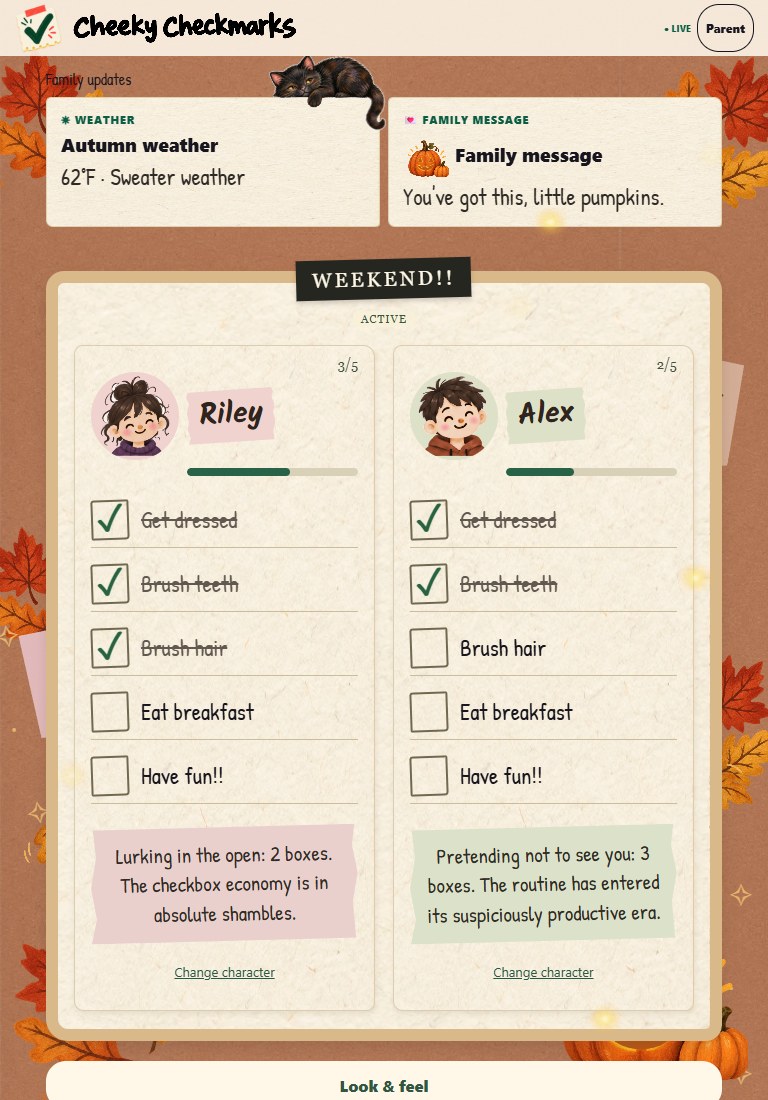
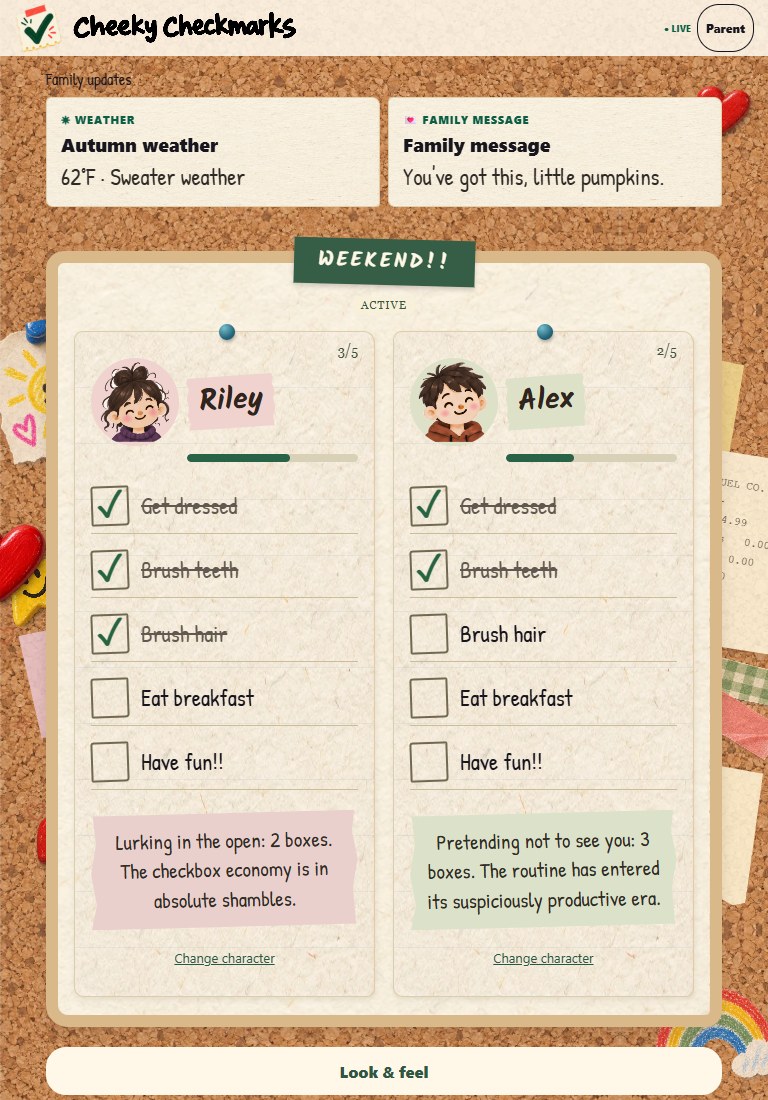
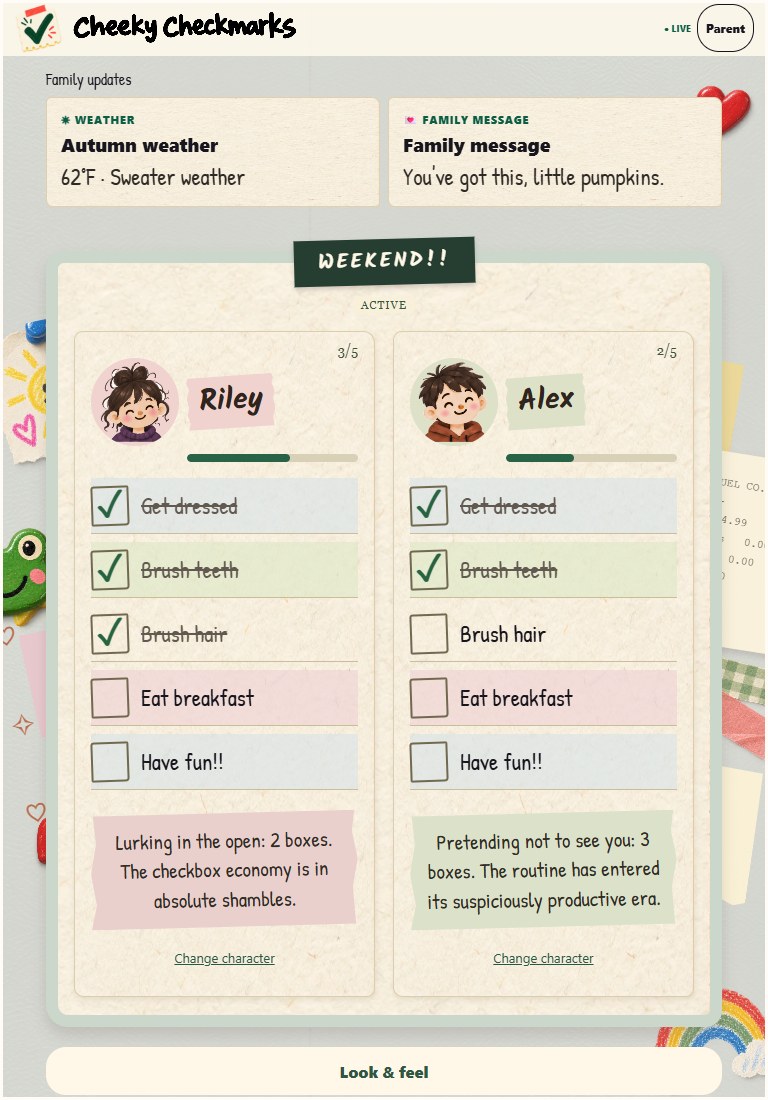
Warm paper, tilted list labels, torn-paper name tags, and bigger painted portraits. Corkboard, Family Fridge, and Autumn After Hours each have their own personality. Classic is still there when you want to keep things simple.
Weather and family messages sit above the checklists. There’s more space for the artwork, and everyone’s progress still belongs to them.
Autumn brought a few friends.
Watch leaves drift and tumble, fireflies wander, and a candle flicker. A ghost peeks in from different spots, pumpkins glow, a witch works a little magic, and a painted black cat has claimed a perch.
Prefer a calmer screen? Turn off the ambient animations.
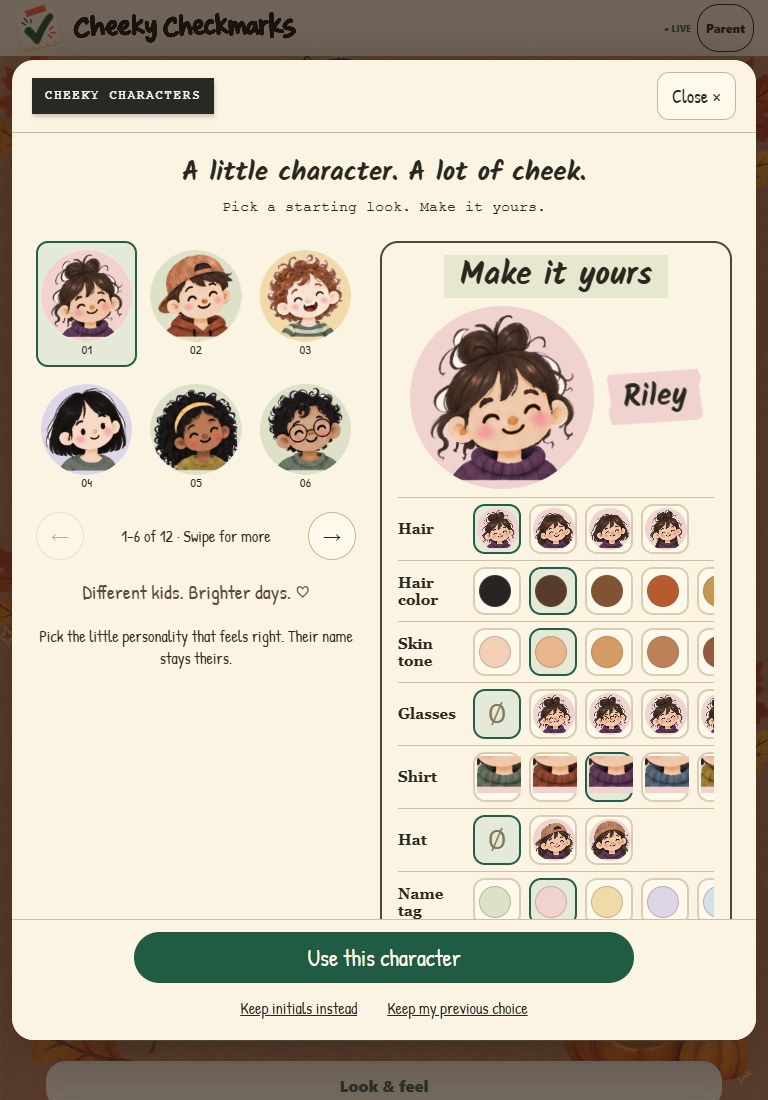
02 / THEIR LIST. THEIR LITTLE PERSON.
Make a character feel like yours.
Choose a painted character, then play with hair, skin tone, glasses, shirt colors, and accessories. A larger preview makes the little details easier to see.
Tap a portrait or use Change character beneath a child’s checklist. Saved choices follow that child across your paired screens.
The little quips are back.
Those notes beneath the checkmarks count down what’s left, with a little snark along the way. Each child gets a note for their own progress.
03 / YOUR HOUSE. YOUR VOLUME.
A little less chatter?
Your call.
Set the voice frequency to suit your household: voice lines off on the left, more frequent reactions toward the right. The most frequent regular setting is every two checkmarks.
A guide to the settings above; change your family’s preferences in the app. Completion celebrations are separate from regular checkmark reactions.
The handy little details
Where do I find the new look?
Open Look & feel on a display to choose its theme and animation preference. Each device can have its own look. Tap a child’s portrait to change their character.
What does a household subscription include?
Your family's routines, painted themes, character choices, and voice controls are part of one household subscription. Choose the look and sound that suit your family.
When can we get it?
Get Cheeky for iPhone and iPad on the App Store, or for Android on Google Play in the US. You can try the family demo now, with no account needed. See download details.
Images show the packaged display with sample family details. Layout and artwork placement adapt to your screen.